Beli is a social restaurant-ranking app. You rank places you’ve been, your friends do the same, and the app turns the overlap into recommendations. Me and my girlfriend use it extensively to rate the places we visit, and I also use it to plan our dates by picking spots off her bookmarks list. However, selecting a place that has some good distinction and has reservations available and fits within some desired window of time can be time consuming, so I wanted an LLM agent that could use Beli on its own: read rankings, get bookmarks, get ratings, leave ratings, etc. That meant treating the mobile app as the specification and reverse-engineering its private API end to end, then wrapping the result in an SDK clean enough for an agent to call as tools.
NOTE
The arc in one breath: map the API → build an SDK → discover that signing up is trivially easy → discover it is not easy → discover my IP is banned → evade bans forever
Drawer full of phones
Reverse-engineering a mobile API starts with understanding how the app communicates.
The bench:
- A jailbroken iPhone 7
- A Motorola G
- A Google Pixel 7
- Genymotion virtual devices running rooted Pixel 7 images
With four devices you can hold variables still: same Wi-Fi, different device tests the device-ID theory; same device profile, different network tests the IP theory; an emulated device versus a physical one tests whether Beli rejects emulators at all. (It does not — emulated devices were treated identically to physical ones.)
Genymotion became the primary lab, because booting a fresh virtual device hands you a brand-new device ID in seconds. Otherwise I need a factory reset which is more time consuming.
Every rooted and virtual device got the same treatment: Frida hooked into the app to disable SSL certificate pinning, and the Burp Suite CA certificate was pushed into each device’s trust store. With pinning neutralized and the CA trusted, every request the app sent became readable in Burp.
Listening in
With interception working, I walked the app:
- signup
- onboarding
- browsing
- ranking
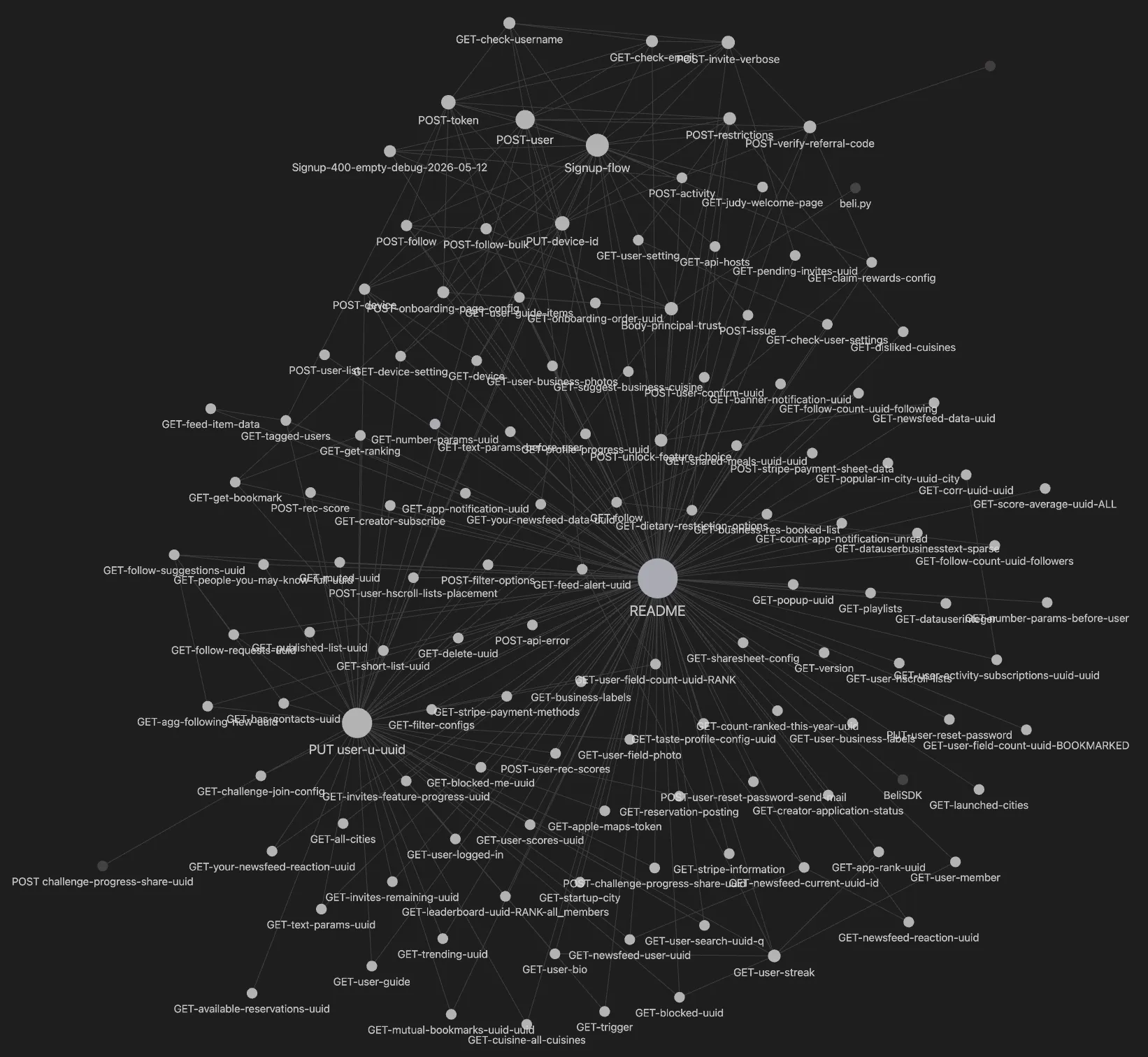
Roughly 1,300 requests across a dozen capture sessions distilled down to 121 distinct endpoints, each documented as its own note: request shape, response shape and auth model.
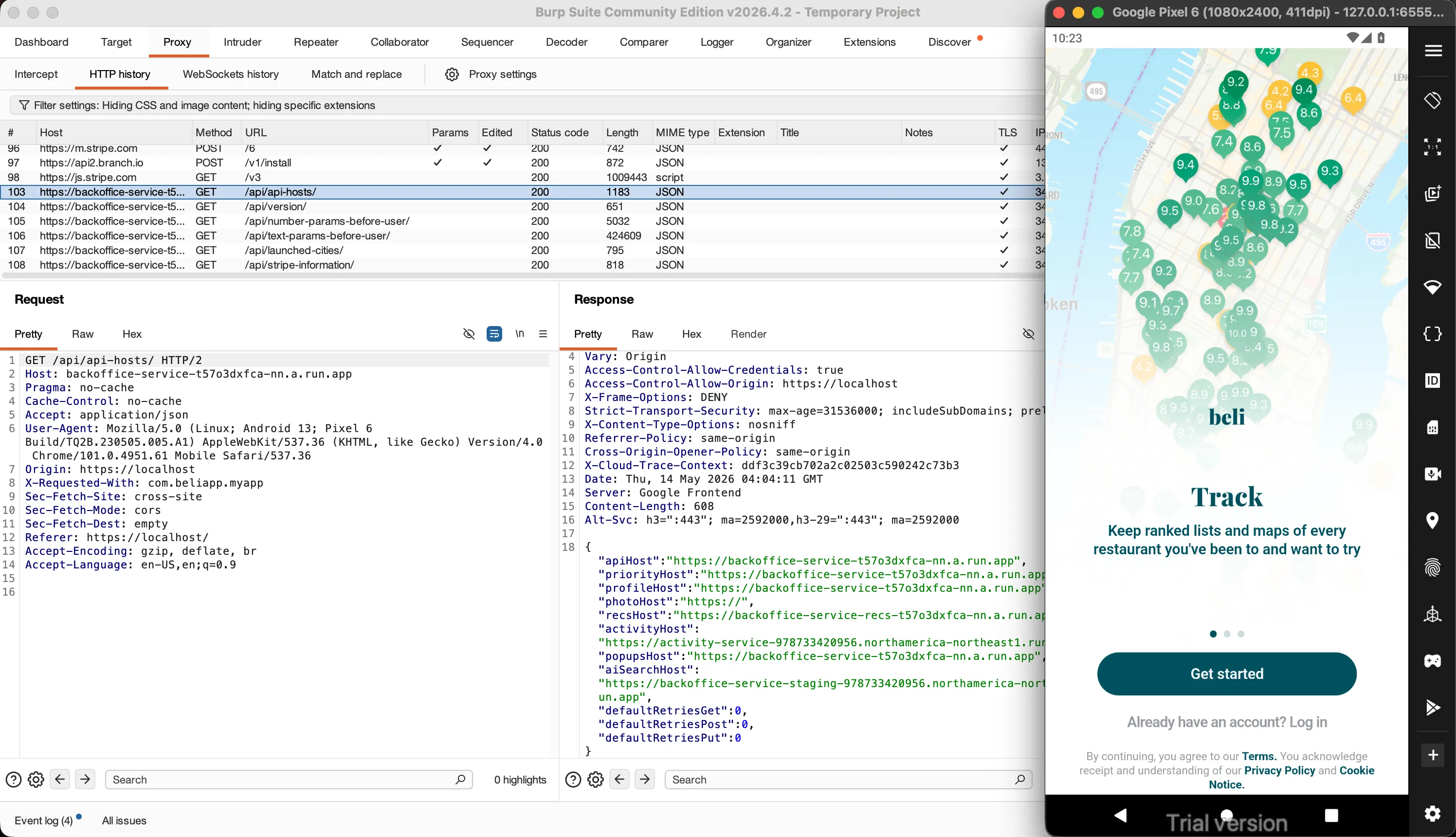
The backend is Django REST Framework behind Google Cloud Run, fronted by Google Frontend. A public bootstrap endpoint, GET /api/api-hosts/, hands the client its own service map which revealed the topology:
| Host | Role |
|---|---|
backoffice-service | Pre-login bootstrap — config, versions, cities |
backoffice-service-onboarding | Token mint, signup, device claim, anonymous endpoints |
backoffice-service-split | The main authenticated API |
activity-service | Telemetry sink — remember this one |
Auth is a standard SimpleJWT bearer token: HS256, a 20-minute access token, a 7-day refresh token, minted by POST /api/token/ from an email (or phone) and password. Nothing crazy.
How to read 1,300 requests
A dozen Burp sessions is not something you sit down and read, and they will not fit in a single model’s context window. Even if they did, the analysis would be shallow once and would deteriorate as the context was swallowed up by the massive responses.
My Kiwi agent supports a web-app reversing workflow that fans out requests by splitting each capture file into individual requests. Then an individual sub-agent is assigned to each request, with skills guiding it to cautiously examine headers and body shapes before accidentally attempting to read hundreds of lines of data. Each sub-agent examines that one single request and response and writes the result of its analysis to an Obsidian knowledge base as a structured note.
Each sub-agent runs with two custom-built skills.
- An Obsidian skill lets it read, write, and search a local Obsidian vault.
- A knowledge-base skill gives it the house style: one note per endpoint, a fixed structure (request, response, threat surface, open questions), and
[[wiki-links]]to related notes.
The agent finishes by filing its note and updating the index. Thirteen hundred raw requests collapse into 121 endpoint notes and a handful of synthesis notes, with no human in the transcription loop. I used to have to do this by hand and developing custom scripts.
The knowledge base as an external brain
The Obsidian knowledge base is a take on Andrej Karpathy’s framing of the LLM as a kind of processor whose context window is small, volatile RAM and therefore needs long-term memory it can page in and out to function as a real “LLM brain.”
That distinction is what made the project possible in a couple of days:
- Memory outlives the agent. Notes persist on disk for a later agent to read. Findings compound instead of evaporating.
- Parallelism without collision. Dozens of agents can work at once because each owns exactly one note; the vault is the durable surface they meet on.
- Cross-request patterns become visible. No single request reveals a pattern. The
?user=IDOR house-style, the activity-event signup gate, the recurring Cloud Run hosts — those only surfaced because every note lived in one searchable corpus a synthesis agent could read across. - The corpus is queryable. When the SDK needed to know how
POST /api/token/behaved, the answer was one note away — not a re-derivation from raw captures.
The knowledge base ended up being the real deliverable of the analysis phase. The SDK is built on top of it; this blog post was written from it. It is the project’s memory.
From captures to an SDK
A pile of annotated HTTP requests is documentation, not capability. To make the API callable — by a human or an agent — me and Claude wrote beli.py, a Python SDK using the Obsidian knowledge base.
At its core is BeliClient: it owns one device ID, one bearer token, and one throttle, and it speaks the API in whole verbs — signup(), login(), activate(), get_bookmarks(), get_rankings(), unlock_feature(). Underneath sits a _request() escape hatch so any of the ~121 endpoints can be reached raw.
The piece that matters most for an autonomous agent is the error hierarchy. An LLM driving an API needs to know not just that a call failed but what to do next, and naive retry loops are what gets an account killed (bot behaviour). So every failure is classified:
BeliError
├── BeliTransportError      → network blip; back off, retry
└── BeliAPIError
    ├── BeliAuthError       → token issue; re-login ONCE
    │   └── BeliLockoutError → STOP. do not retry. do not re-login.
    ├── BeliRateLimitError  → silent block; back off >= 60s
    └── BeliServerError     → 5xx; one retry, then treat as data
Every class carries a retryable flag, so an agent can branch generically instead of guessing. BeliLockoutError is the important one because it is the SDK’s way of telling the agent to chill out and stop.
On top of the SDK I built the agent’s skill tools — thin, single-purpose wrappers (“sign up an account,” “read a user’s rankings,” “bookmark a place”) that the LLM invokes directly. The SDK is the engine; the skill tools are the steering wheel the agent actually holds. Everything below is a story about why the engine kept stalling.
Signing up was suspiciously easy
The first capability an agent needs is an account. And at first, accounts were free.
POST /api/user/ is unauthenticated. No captcha, no email round-trip before the row exists, no device attestation. Hand it an email, a username, a password, a phone number, and a 16-hex device ID — all client-chosen with no verification and no validation — and it mints a User and hands back a 39-field record. The referrer field is a client-supplied UUID the server stores without validation. Genymotion gave me throwaway device IDs; the SDK’s gen_password() and gen_device_id() gave me the rest. I was minting accounts super easily in seconds.
The project was basically done, but it was just the part Beli hadn’t defended yet.
Silent 400s
Then, mid-development, signup simply stopped.
POST /api/user/ began returning HTTP 400 with a body of two bytes: an empty JSON string. No error message, no field name, no Retry-After, no rate-limit header. Every other endpoint on the same host, in the same session, kept working perfectly. Only account creation died.
What followed was a multi-day siege. I made the SDK’s request byte-identical to a real captured signup and tested every hypothesis I could think of:
- Header order — rebuilt so the wire bytes matched the app exactly. 400.
- HTTP/2 vs HTTP/1.1 — switched transports. 400.
- JSON spacing and body key order — compact-serialized, reordered. 400.
- TLS fingerprint (JA3/JA4) — the leading suspect. Re-ran the request through a Chrome-impersonating TLS stack. 400.
- IP reputation — switched VPN exits. 400.
The breakthrough only came from analyzing not just the signup call, but everything around it.
The culprit was the host that at first hadn’t looked or done anything important: activity-service, and its endpoint POST /api/activity/. I had filed it as fire-and-forget telemetry — page views, button clicks, analytics noise — and the SDK quietly stubbed it out as irrelevant, but turns out at some point during my research it became vital. My guess is that the Beli team maybe started noticing an uptick in bot behaviour and began addressing it by implementing some new detections and controls.
Before the server will mint a user, it requires roughly 17 anonymous POST /api/activity/ events, fired in order, keyed to the same device ID the signup will use — the canonical walk through the onboarding wizard:
CLICK_CONTINUE  /phone-number      ENTER_PAGE      /password
LEAVE_PAGE      /phone-number      CLICK_CONTINUE  /password
ENTER_PAGE      /welcome           ...
CLICK_CONTINUE  /welcome           ENTER_PAGE      /username
ENTER_PAGE      /email             CLICK_CONTINUE  /username
...                                 -> POST /api/user/  (200)
The server appeared to develop a new per-device wizard-progress state machine, fed entirely by an endpoint documented as analytics. Skip the walk and signup fails, but the failure surfaces on POST /api/user/, not on the activity calls, which return 200 the whole time.
There was a second cause hiding behind the same empty 400: the signup body’s referrer field. I had been leaving it blank. An empty referrer produces the same two-byte 400 as the missing activity events. Signup only began working once we populated it with a valid referrer UUID. Two unrelated requirements, one indistinguishable error: the empty body never said which was unmet, so each had to be cornered on its own.
Re-enabling the page-walk in the SDK closed it. Signup came back, about 30 seconds per account.
Then right as I finished development, I think a new control was introduced. I recall being able to query a user’s bookmarks and rankings right after generating a new user WITHOUT completing onboarding. But at one point, my API calls began returning 405’s. Once I completed the onboarding flow and flipped my account status to ACTIVE, everything worked again.
This time, I preemptively added fake telemetry and page-switching API calls to mimic a real user. Haven’t had issues since.
TIP
Worth noting why this wall is interesting: it is cheap for Beli (no captcha, no friction for real users walking the real wizard) and expensive for a bot author, who has to discover and replay an undocumented 17-step sequence.
The IP wall
Beli runs a silent, cumulative anti-automation block. No “too fast,” no 429, no Retry-After. Instead, request volume from one source accrues, and somewhere past roughly 25–50 cumulative auth-related requests the source crosses a line. After that, logins return HTTP 500 with No active account found with the given credentials, or 403 You do not have permission.
The first time it happened, every test account went dark at once, which sucks because it cost me my original 3-year-old account. They weren’t deleted because the records still resolved through other endpoints. They were deactivated and thus, unable to login.

The block tracks the source IP, not just the account: rotate accounts from the same network and the new ones inherit the sentence. A VPN exit swap buys a brief reprieve, then the cycle repeats.
For an LLM agent expected to make many calls across a session, a per-IP cumulative ceiling is a hard cap on how much the agent can ever do.
The referral system
Every account gets a UUID and a short beliapp.co/<code> link; when a new user signs up attributed to you, you earn credit, and credits unlock the app’s gated features, which were essential to some of the abilities I wanted my agent to have:
- dish search
- stealth mode
- average scores
- reservation priority
- social links.
I found two ways to abuse that loop. One grabs features, one farms credit. When pointed at a stranger, either one can get an innocent account banned.
Door 1 — skip the referrals, just take the features. The endpoint that spends credits, POST /api/unlock-feature-choice/, never checks the balance. The feature_credits_used field is taken from the request body and trusted as-is. Send 0 and the feature unlocks anyway. Worse, the body also carries a user_id that the server honors instead of deriving the account from the auth token, so the unlock can be aimed at someone else’s account. The whole credit economy is, functionally, decorative. Plant a stack of unearned premium flags on a victim’s account and you have manufactured exactly the cheated-the-system anomaly Beli’s anti-fraud disables accounts for.
Door 2 — farm the referrals. Generate accounts, each signing up under your referral code. The counters climb, the credits accrue.
The very first test of boosting referral counts ended with every account involved getting disabled — the farmed accounts and the account they referred. No email, no warning, no notice of any kind. They were disabled, exactly like the IP-block victims. Beli’s anti-fraud clearly watches for referral clusters and disables the entire graph on sight. This also meant that anti-bot hygiene was especially important to prevent losing an account that then domino-effected and gets the other accounts banned.
That silent, graph-wide ban is the dangerous part. The referral code a new account signs up under is chosen by that new account, never approved by the code’s owner. So an attacker can mint a batch of obviously-fake bot accounts all referring a victim’s code. The victim did nothing, but anti-fraud folds them into the bot cluster and disables them along with it: no warning to appeal, no email trail, little chance of recovery. It is a remote, deniable account-takedown primitive. You never touch the target’s account, you just make it look like the center of a boosting ring.
So the two doors reach the same destination by different routes. Door 1 plants unearned premium flags on the victim directly; Door 2 buries the victim in a cluster of obvious bots. Used on your own account, each is a quiet self-upgrade. Used on someone else’s, each is a way to get a person who did nothing disabled.
Who’s there?
Reverse-engineering usually assumes a stationary target. Beli was not stationary. It felt like the Beli team was reacting in real time to my probing.
Over the testing window, behavior I had carefully pinned down kept quietly changing underneath me. The UA (user agent) blocklist that returns 403 to curl and python-requests was not in the earliest captures, it appeared partway through. GET /api/judy-welcome-page/ was confirmed moved behind authentication one day and was anonymously readable again days later. The pre-login Stripe config flipped from public to 401 and back. The device-claim endpoint started returning a 3-field response where it had returned 9 fields hours earlier. Most obvious: during the silent-400 saga, signup succeeded from a real device at 16:43, and by roughly 19:00 the same flow — the same bytes — would not complete.
I could never tell if this was someone reacting to me specifically. It almost certainly was not literally real-time, but it felt like it. I would get a flow working, step away, and come back hours or a day later to find the identical request rejected. It was pretty cool, kinda like a king-of-the-hill game.
Why is Beli so allergic to robots?
Worth pausing on: why fight programmatic access this hard? Plenty of apps don’t care about it. Heres my theory:
Part one: the bill. Beli runs on Google Cloud Run — Functions-as-a-Service. The FaaS cost model is per request: every call burns invocation count plus vCPU-seconds and memory for as long as the handler runs, and idle-but-warm instances cost money too. For a normal user, request volume is bounded by human patience. An automated client has no such bound — it can issue in an hour what a person issues in a year. Every scraper and bot is a line item on a bill that scales with traffic, against a user who generates no ad revenue and no engagement.
Part two: the moat. Beli’s actual product is not the app. It is the graph: who ranked what, whose taste correlates with whose, the aggregate “best of” lists built from real diners. That dataset is the company. An open or easily-automated API would let a competitor reconstruct it wholesale. Locking the API is locking the moat.
Most likely it is both at once. Cost discipline and data protection pointing the same direction. Either way, the conclusion for me is identical: to keep an agent working, the agent’s traffic has to stop looking like it all comes from one place.
Here you are, there I am
The cumulative block keys on device ID (defeated) and source IP, so the counter-move is to make the source IP a moving target. The build:
A Raspberry Pi 5 running Gluetun with NordVPN, exposed on my LAN with some web-hook utilities. Hitting the web-hook tells the Pi to drop its current VPN tunnel and reconnect, essentially “rotating” IPs by landing on a fresh exit node, and therefore a fresh public IP, on demand.
The agent’s Beli skill tools will then proxy every API call through the Pi. When an account gets burned the agent fires the web-hook, the Pi reconnects, and the next batch of requests originates from an IP with a clean history and a newly minted account. The per-IP ceiling never resets in Beli’s favor, because by the time it would matter the agent is already somewhere else.
Beli can keep blocking IPs, but it will always be blocking the last one. Combined with the anti-bot hygiene, the agent gets a steady supply of clean network identities.
Results
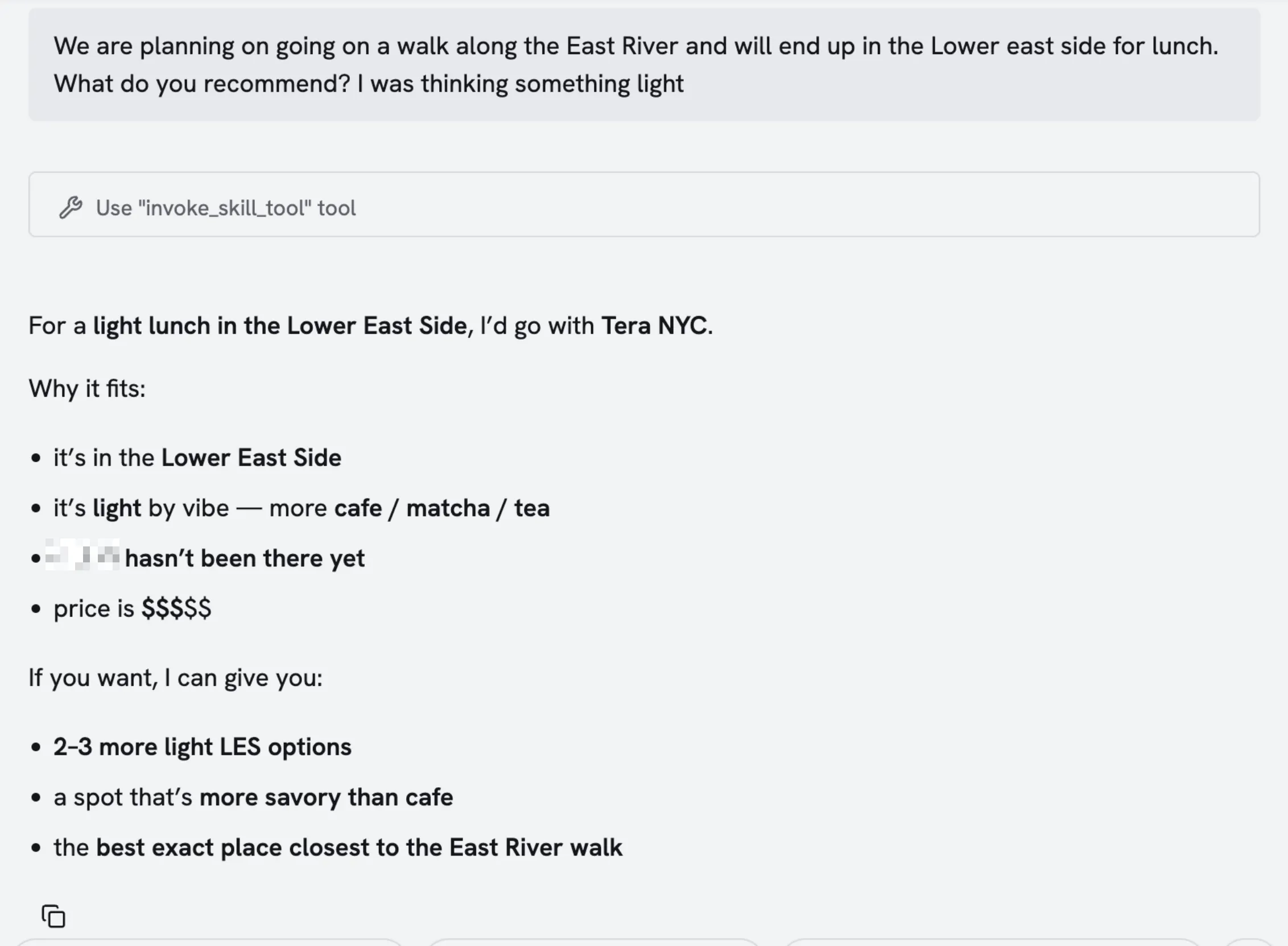
Anyways, after its all said and done, the skills were built and added into my custom agent (Kiwi). The agent can read through her bookmarks and ratings to determine picks. It can also check:
- A restaurant’s location
- Price rating
- Favorite user dishes
- Curated lists (best date night restaurants, best sushi restaurants, etc)
Additionally, since users can tag restaurants with things like “date night vibes”, “casual vibe”, “fine dining”, my agent can sort through and recommend places which will be (in my opinion) more trustworthy than Google or Yelp. I always trust Beli over any other app.
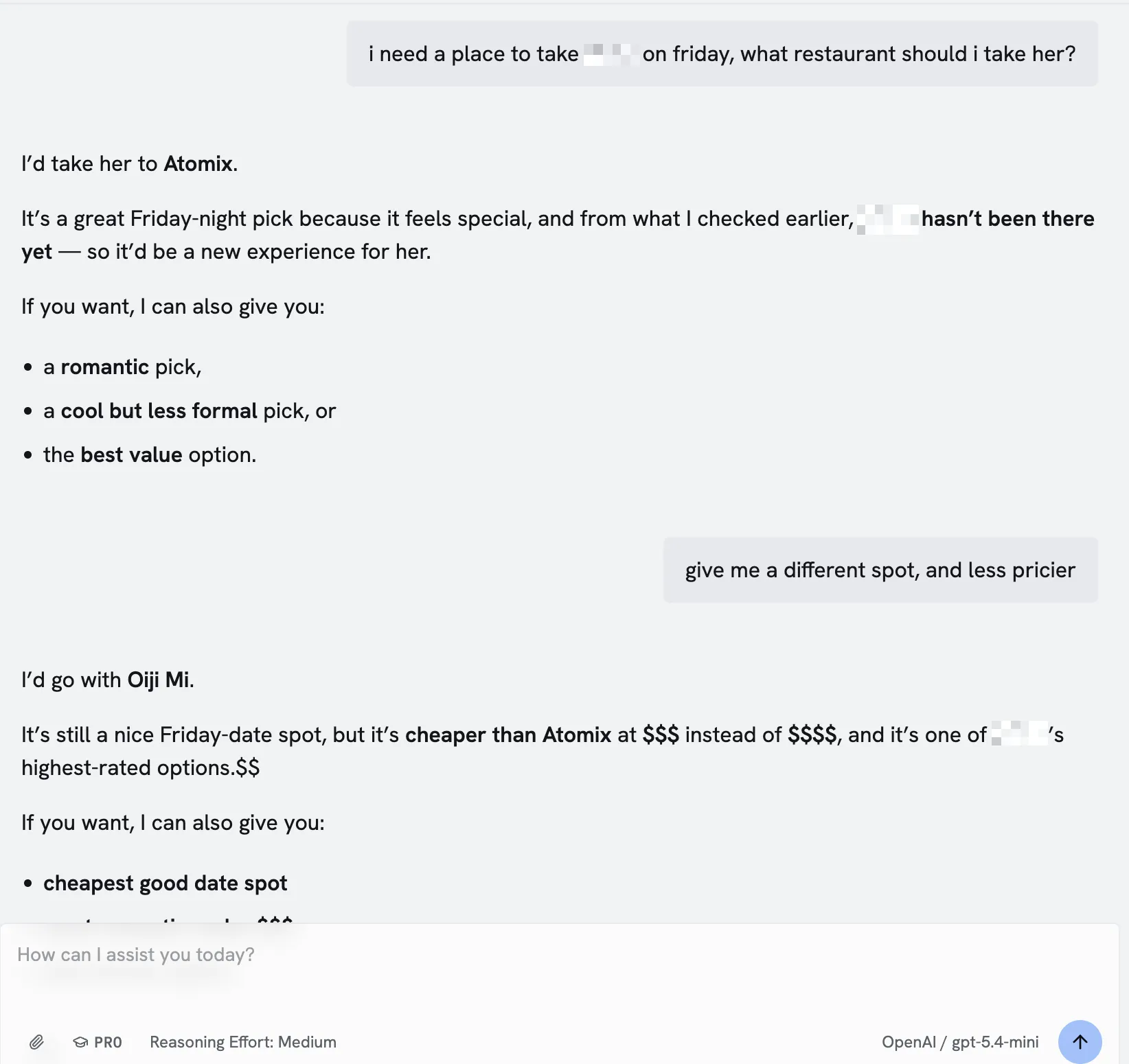
No more having to manually open the map, check whats around, cross reference against the bookmarks, check individual reviews, check if they’re tagged as “accepts walk-ins”, etc. One question, and the whole planning process is done 🙂.
PS: If the Beli team is reading this, pls unban my original account 🙏🏻😇